

How to Choose a Temp And Humidity Monitor?
Choosing a Temp And Humidity Monitor is not merely a matter of comparing screen size or advertised accuracy. It is a decision about protecting products, people, equipment, and data quality. A sensor beside a cold window may show 18°C, while the storage shelf reads 23°C. Both readings can be correct in their locations.
The U.S. Environmental Protection Agency reports that people spend about 90% of their time indoors, making indoor conditions a practical health and productivity concern (EPA, Indoor Air Quality, 2024). ASHRAE Standard 55 also shows why temperature and humidity must be assessed together, rather than treated as separate numbers. P.O. Fanger, a leading thermal-comfort researcher, defined comfort as “that condition of mind which expresses satisfaction with the thermal environment.” His statement remains useful. Measurements should support human decisions, not create attractive dashboards.
A reliable Temp And Humidity Monitor should offer suitable accuracy, calibration records, data logging, visible alarms, and sensor placement guidance. ISO 7726 recommends careful measurement methods for thermal environments, especially when air movement and radiant heat affect results. Market reports from Grand View Research and MarketsandMarkets indicate continuing growth in environmental monitoring, driven by smart buildings, healthcare, logistics, and industrial compliance. Exact market forecasts vary. That is worth remembering.
The cheapest monitor may become expensive after one missed alarm. Wireless range can fail through concrete walls. Batteries can weaken quietly. Choosing well means matching the device to the room, the risk, and the people who will act on its readings. There is no perfect monitor. There is only a more defensible choice.
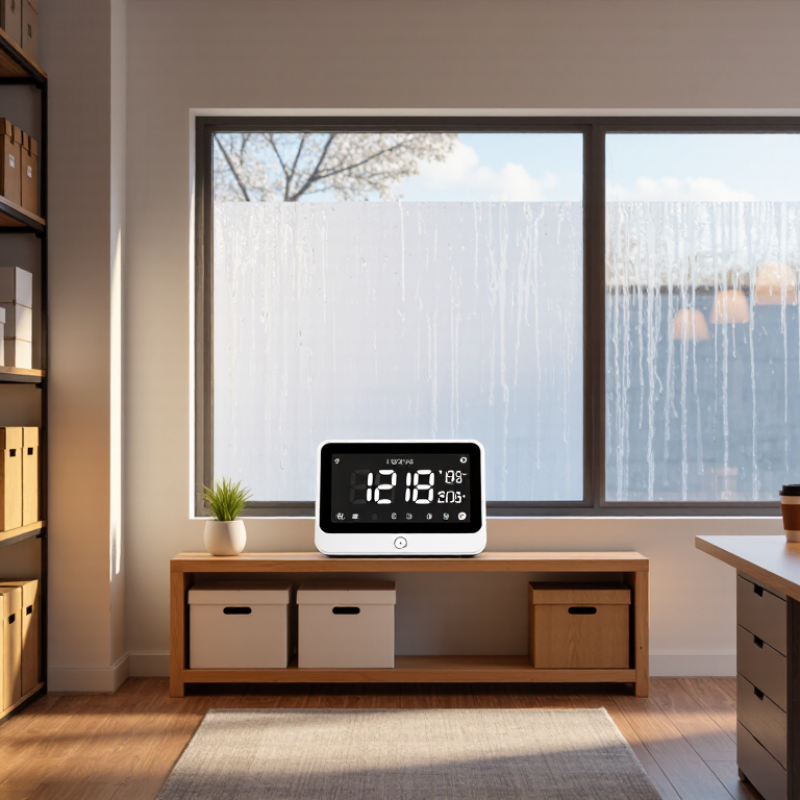
Define the Purpose and Environment for Monitoring Temperature and Humidity
Choosing a temperature and humidity monitor starts with defining the purpose. A bedroom, greenhouse, archive room, and laboratory need different measurements. Ask what decision the readings will support. You may need comfort data, equipment protection, product storage control, or evidence for an audit.
The environment matters just as much. A monitor near a window can record sunlight instead of room conditions. Steam, dust, airflow, and heat sources can also distort results. I once placed a sensor beside a ventilation outlet. The readings changed sharply whenever the fan started. That assumption was wrong. Consider the measurement range, response time, accuracy, and calibration requirements before choosing a device. For sensitive storage, regular calibration against a trusted reference is good practice. Keep records of dates, locations, and unusual events.
Tips: Map the room before installation. Mark windows, doors, vents, heaters, and damp corners. Place the sensor where people or materials are actually exposed. Avoid direct sunlight and hidden shelves. Test two locations for a day if conditions seem uneven. Check whether the monitor stores data during network interruptions. A visible alarm can help, but alarms need sensible limits. Setting them too tightly may create constant warnings. Setting them too loosely may hide gradual damage. Review the readings after several days, not just after installation. Small patterns often matter more than one dramatic number.

Choose the Appropriate Sensor Type and Measurement Range
How to Choose a Temp And Humidity Monitor?
Choose the sensor type before comparing display features. For ordinary rooms, a thermistor paired with a capacitive humidity sensor is practical and affordable. Thermistors respond quickly, but their readings become less linear outside the specified range. For laboratories, cold storage, or calibration work, RTD sensors usually offer stronger stability. Thermocouples suit very high temperatures, but they are rarely the right choice for routine humidity monitoring.
Measurement range matters more than a large screen. Select a temperature range that covers normal conditions and possible extremes. A warehouse may need -20°C to 60°C, while an industrial oven needs far more. For humidity, choose at least 10–90% RH when conditions may change sharply. EPA indoor-air guidance commonly recommends 30–50% RH for homes. ASHRAE Standard 55-2023 also evaluates comfort through temperature, humidity, air speed, clothing, and activity. One number cannot describe comfort completely. That is easy to forget.
Tips: Check accuracy across your actual operating range, not only the headline specification. Confirm calibration intervals and response time. ISO 7726 recommends evaluating instruments for thermal environments, including temperature and humidity performance. A sensor rated from 0–100% RH may still perform poorly near condensation. I would also compare readings beside a trusted reference for several days. Small offsets can reveal placement problems, airflow effects, or calibration drift.
How to Choose a Temp And Humidity Monitor? - Choose the Appropriate Sensor Type and Measurement Range
| Sensor Type | Typical Measurement Range | Typical Accuracy | Main Advantages | Limitations | Suitable Applications |
|---|---|---|---|---|---|
| Thermistor | Approximately −40 to 125 °C | About ±0.1 to ±0.5 °C, depending on calibration | Low cost, fast response, high sensitivity over a limited range | Nonlinear output; range and long-term stability are more limited than RTDs | Indoor monitoring, HVAC systems, appliances, and general-purpose data loggers |
| Platinum RTD | Approximately −200 to 600 °C for common industrial configurations | About ±0.1 to ±0.5 °C with suitable wiring and instrumentation | Excellent stability, repeatability, and near-linear response | Higher cost; slower response and possible self-heating | Laboratories, process control, cold storage, and precision temperature measurement |
| Thermocouple | Approximately −200 to 1,700 °C, depending on thermocouple type | Typically ±1 to ±2.5 °C or about ±0.75% of reading | Very wide temperature range, rugged construction, and rapid response | Lower accuracy; requires cold-junction compensation | Ovens, furnaces, engines, exhaust systems, and high-temperature equipment |
| Semiconductor Temperature Sensor | Commonly −40 to 125 °C | About ±0.5 to ±2 °C | Easy digital integration, low power consumption, and compact size | Limited high-temperature capability; may require stable power and communication interfaces | IoT devices, electronics, server rooms, smart buildings, and portable monitors |
| Capacitive Relative Humidity Sensor | Typically 0 to 100% RH, often specified over 5 to 95% RH | About ±1.5 to ±3% RH | Good accuracy, low power consumption, and suitable for continuous monitoring | Condensation, chemical exposure, and contamination can affect readings | Homes, offices, museums, warehouses, greenhouses, and HVAC controls |
| Resistive Relative Humidity Sensor | Commonly 20 to 90% RH | About ±3 to ±5% RH | Simple circuit design, compact size, and generally low cost | Narrower range and greater sensitivity to contamination and aging | Basic indoor monitors, consumer devices, and cost-sensitive applications |
| Dew-Point Sensor | Often approximately −80 to 20 °C dew point, depending on the technology | Typically ±1 to ±2 °C dew point | Directly indicates condensation risk and moisture content in gases | Usually more expensive; readings depend on accurate temperature measurement and pressure conditions | Compressed air, gas pipelines, drying systems, and moisture-sensitive processes |
Compare Accuracy, Response Time, and Calibration Requirements
How to Choose a Temperature and Humidity Monitor
Accuracy is the first filter, but it should match the application. ASHRAE Standard 55-2023 commonly uses ±0.5°C for air temperature and ±5% relative humidity in comfort-related measurements. A warehouse storing sensitive materials may need tighter control. Check the stated accuracy across the full operating range, not only at room temperature. A sensor showing ±2% RH at 25°C may perform differently near 10°C.
Response time matters during rapid changes. A monitor with a 60-second response can miss a short humidity spike after a door opens. The World Meteorological Organization’s Guide to Instruments and Methods of Observation identifies response time, hysteresis, and recovery behavior as important measurement characteristics. Ask whether the specification uses T63 or another test method. These figures are not always comparable.
Calibration is often overlooked. I once trusted a stable display for months without checking it. That shortcut was wrong. ISO/IEC 17025 emphasizes traceable calibration and documented measurement uncertainty. Choose a device with an accessible calibration process, adjustment records, and a stated recalibration interval. NIST guidance also stresses traceability to recognized standards. For critical storage, compare readings against a calibrated reference at two humidity points. One point is useful. Two points reveal more. Keep the original records, including date, temperature, humidity, and correction values. A monitor can look precise while slowly drifting.
Evaluate Display, Alerts, Connectivity, and Data Recording Features
How to Choose a Temp And Humidity Monitor?
A useful monitor should make readings obvious within seconds. Choose large digits, adjustable brightness, and clear temperature units. In a dark basement, a bright screen prevents unnecessary flashlight checks. The U.S. Environmental Protection Agency recommends keeping indoor relative humidity between 30% and 50% when possible. Its indoor air reports also note that pollutant levels can reach two to five times outdoor concentrations. Humidity control deserves attention. Small details matter. Select alerts with separate high and low thresholds. A loud alarm helps in storage rooms, while phone notifications suit remote properties.
Connectivity should match the monitoring location. Bluetooth works well across one room, but Wi-Fi or cellular communication supports distant facilities. Check whether alerts continue during network interruptions. A monitor without offline memory can lose the most important event.
Choose recording intervals from one minute to one hour, depending on the application. For vaccines, archives, or laboratories, exportable CSV files and timestamped records are more valuable than decorative graphs.
The World Health Organization’s Housing and Health Guidelines identify 18°C as a general minimum indoor temperature for health protection, with higher needs for vulnerable people. Therefore, temperature alerts should reflect room use, not generic factory settings. Look for calibration information, sensor accuracy, and a documented correction process. NIST measurement guidance emphasizes traceability and uncertainty, yet many low-cost devices provide little calibration evidence. No sensor is perfect. I would verify a new unit against a trusted reference for several days, because a polished display cannot correct a drifting sensor.
Check Installation Needs, Power Options, and Long-Term Reliability
Choosing a temperature and humidity monitor starts with the installation site. A greenhouse, archive room, server cabinet, and nursery need different designs. Check the sensor’s measuring range, probe length, mounting method, and resistance to dust or condensation. The U.S. Environmental Protection Agency reports that indoor pollutant levels can be two to five times higher than outdoor levels. Poor ventilation can make local readings surprisingly different.
Power options affect daily reliability. Battery models suit temporary checks, but frequent replacement can create missed records. Mains-powered units work well in fixed locations, while USB or Power over Ethernet can support continuous logging. Confirm backup memory and alarm behavior during power loss. A bright screen is useful, but remote alerts may matter more in an unattended room. I have learned that convenient installation often beats impressive specifications.
Tips: Place the sensor away from vents, windows, heaters, and direct sunlight. Allow air to circulate around it. Compare readings with a reference instrument before trusting the data. NIST Technical Note 1297 emphasizes measurement uncertainty and traceability, so calibration evidence matters. Choose a device with a stated calibration interval and documented accuracy. ISO/IEC 17025 laboratory calibration is a stronger reliability signal. Still, no sensor stays perfect forever. Dust, condensation, and aging can quietly distort results. Check the readings monthly, and record unusual changes instead of ignoring them.